Akshaye Khanna Dhurandhar AI Photo Editing Prompts –Nowadays, AI photo editing inspired by movie characters is going viral on social media. One of the most popular trends is recreating the look of Akshaye Khanna from the movie “Dhurandhar”. Many people want to create similar cinematic photos of themselves, which is why Google Gemini AI has gained massive attention.Using Google Gemini, you can generate stunning and highly realistic AI photos with this inspired look. In this article, I’ll show you exactly how to create these images step by step. You’ll learn how to use AI photo prompts, how to copy and apply them correctly, and how to achieve professional-quality results. If you want to recreate this Akshaye Khanna–inspired AI look, just follow this complete guide.
What Process Behind This Image?
This is AI-based photo editing, which means you don’t need any manual Photo editing skills. A simple photo of yours is enough to create a completely new and inspiring image. Using Google AI technology, the system generates a realistic photo inspired by Akshaye Khanna’s movie look.The AI recreates his signature style and confident attitude, which is why so many people want to generate similar images. You’ll get the same desert-style cinematic vibes, along with outfits that closely match the original look. The final AI-generated photo looks highly realistic and visually impressive. If you want to recreate this Akshaye Khanna–inspired AI photo, you can easily select this option and generate your image. I’ll explain more details in the next section.
What is Special About This Image?
The main reason this trend is going viral is that the characters are inspired by real people and created with carefully designed features. The AI maintains a completely natural structure, with no over-editing, making the final result look cinematic—almost as if you acted in a movie. The characters are styled in a way similar to Akshaye Khanna, and you’ll also see other supporting characters included in the images.
I’ve shared multiple photo styles here to show the variety you can create. The best part is that you can generate these professional-looking AI photos using just your mobile phone. This is why Google Gemini AI is considered one of the best tools for realistic AI photo editing. I’ll explain the full process in the next section.
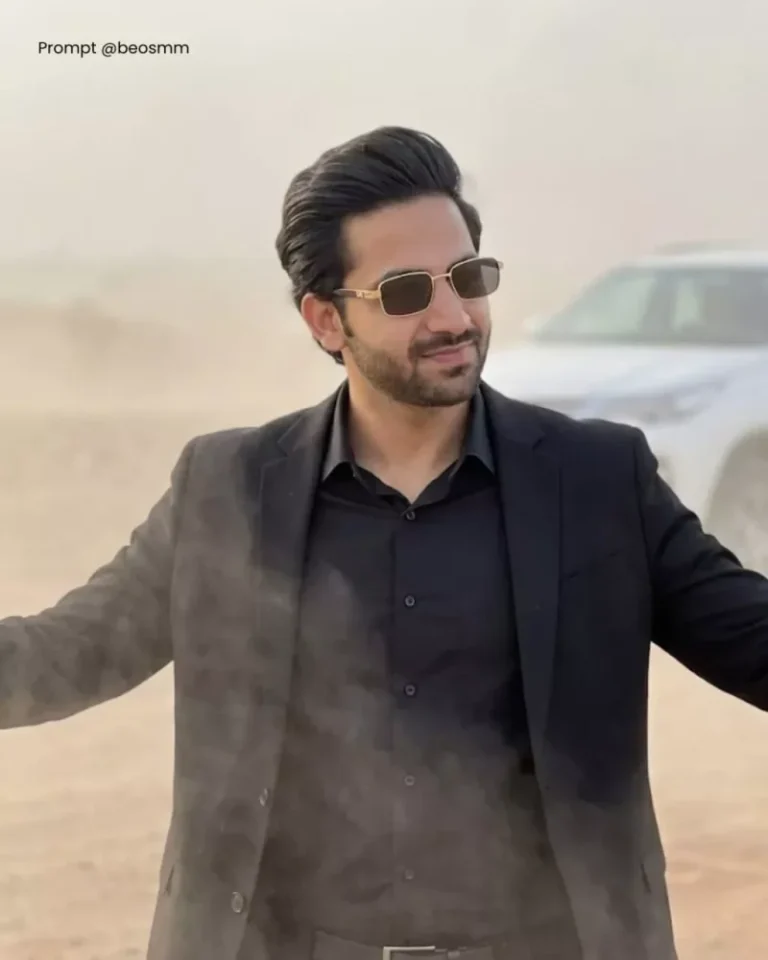
A cinematic, high-quality shot of a stylish man [Use the same face from reference] standing in a hazy, dusty desert landscape. He is wearing a sleek all-black ensemble: a black button-up shirt paired with a black blazer or coat. He wears stylish rectangular sunglasses with gold rims and has his hair swept back. He is striking a confident, dramatic pose with both arms spread wide open and a slight smirk on his face. In the background, to the left, a white SUV is partially visible through the mist. The atmosphere is moody and atmospheric, with soft diffused lighting, dust swirling in the air, and a music video aesthetic. 8K resolution, photorealistic. use the same face.
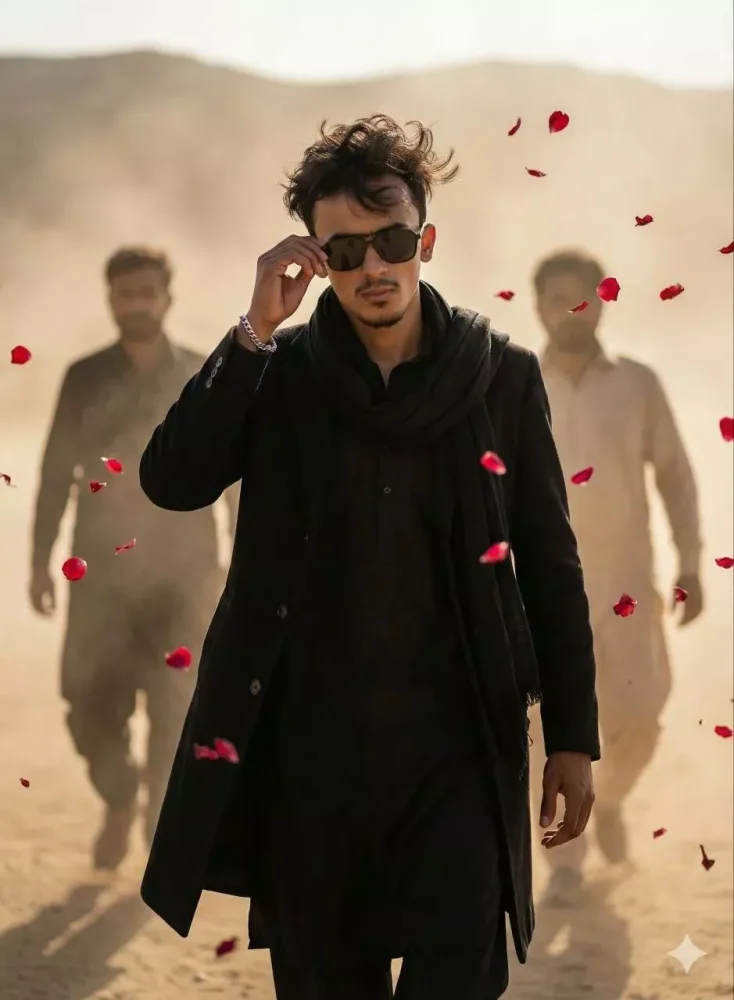
A confident reference image person walking in slow motion through a desert landscape, medium close-up front shot. He is wearing an all-black outfit — black kurta, long black coat, and a black scarf. His hair is slightly messy in the wind, adjusting dark sunglasses with one hand in a calm, attitude-filled pose. A silver bracelet on his wrist. Two men walking behind him through dust and haze, softly out of focus. Red rose petals flying in the air. Light dust storm, warm sunlight, soft cinematic shadows. don’t change face at any chance
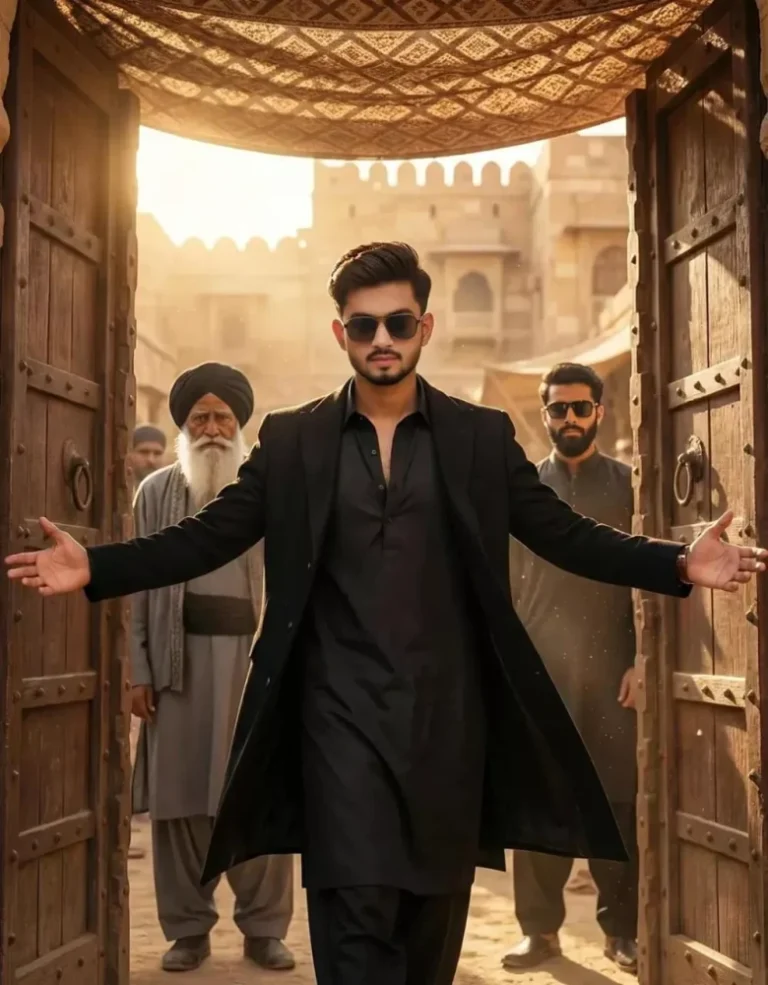
Ultra-realistic, cinematic full body portrait of the same young man from the reference photo(exact same hairstyle from the uploaded image, sharp eyebrows, perfectly trimmed beard, intense yet calm confident expression, face clearly toward the camera).A powerful cinematic moment shows a stylish villain standing at a massive ancient wooden door just as it opens wide The door panels are fully opening outward, and the man stands in the center with both arms spread wide, palms slightly open, symbolizing dominance and control-as if welcoming chaos He wears a black kurta, long black overcoat, and dark sunglasses. His coat falls perfectly, creating a clean, commanding silhouette. His posture is straight, chest open, feet firmly planted Warm golden sunlight floods in through the open door behind him, creating intense backlight, glowing dust particles, and dramatic rim light around his shoulders and hair. Patterned fabric shades hang overhead, casting cinematic shadows on his face and outfit. Behind him, two men stand in controlled formation:An elderly man with a long white beard, black turban, layered grey robe, heavy traditional jewelry, calm and powerful.A younger bearded man wearing dark sunglasses and dark traditional clothing, slightly blurred for depthThe location is an ancient desert marketplace/sandstone fort, with textured sandstone walls, arches, and warm golden tones.Camera angle slightly low, centered composition, capturing a slow-motion grand entrance.Highly detailed faces, ultra-sharp skin texture, crisp shadows, cinematic depth of field, rich color grading, dramatic movie-poster lighting, epic villain aura, 8K ultra-realism.
How To Use Akshaye Khanna Dhurandhar Ai Photo Editing Prompts
We’ll use Google Gemini AI to develop the image. Google Twin is one of the best AI tools available today, known for producing highly naturalistic and professional effect. Creating AI photos with Google Gemini is simple and efficient, especially when utilise prompts. First, copy the prompting provided above. Then, open Google Gemini using the dedicated button for direct access. Paste the prompting into the prompt box, and then clink the plus ( + ) icon to upload your picture. Importantly, after uploading, simply click Generate, and Google Gemini will create an impressive, high-quality AI photo for you. The results are realistic, visually stunning, and easy to achieve any result even on a mobile device.